Wednesday, October 31, 2012

How To Transfer Prints To Wood: An Awesome Photography DIY Project
How To Transfer Prints To Wood: An Awesome Photography DIY Project


How To Transfer Prints To Wood: An Awesome Photography DIY Project

How To Transfer Prints To Wood: An Awesome Photography DIY Project


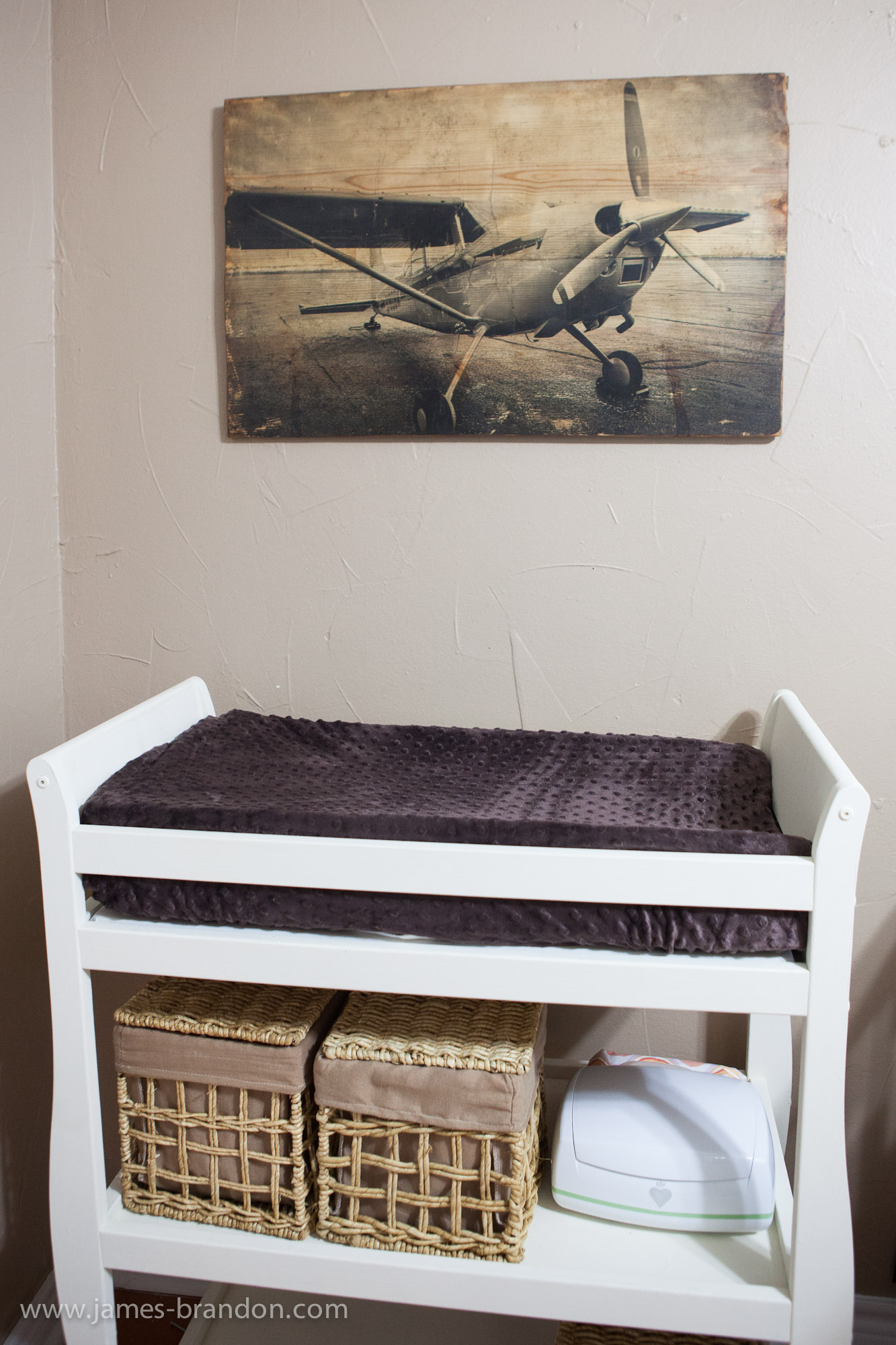
One thing I love about my family is that there never seems to be a shortness of creativity floating around. My wife Kristin works with her mother Lori running a website over at Katie’s Rose Cottage and this project was really just right up their alley. At the time of writing this article Kristin is less than a week away from giving birth to our first child and son Isaac. It’s almost a guarantee that by the time you read this I will be a father! So suffice it to say that Kristin has been doing quite a bit of nesting to get ready for baby Isaac. My father-in-law has a small Cessna and I’ve been working towards getting my pilot’s license for some time now, so because aviation is fast becoming a tradition in our family we decided to do an aviation theme for Isaac’s room.
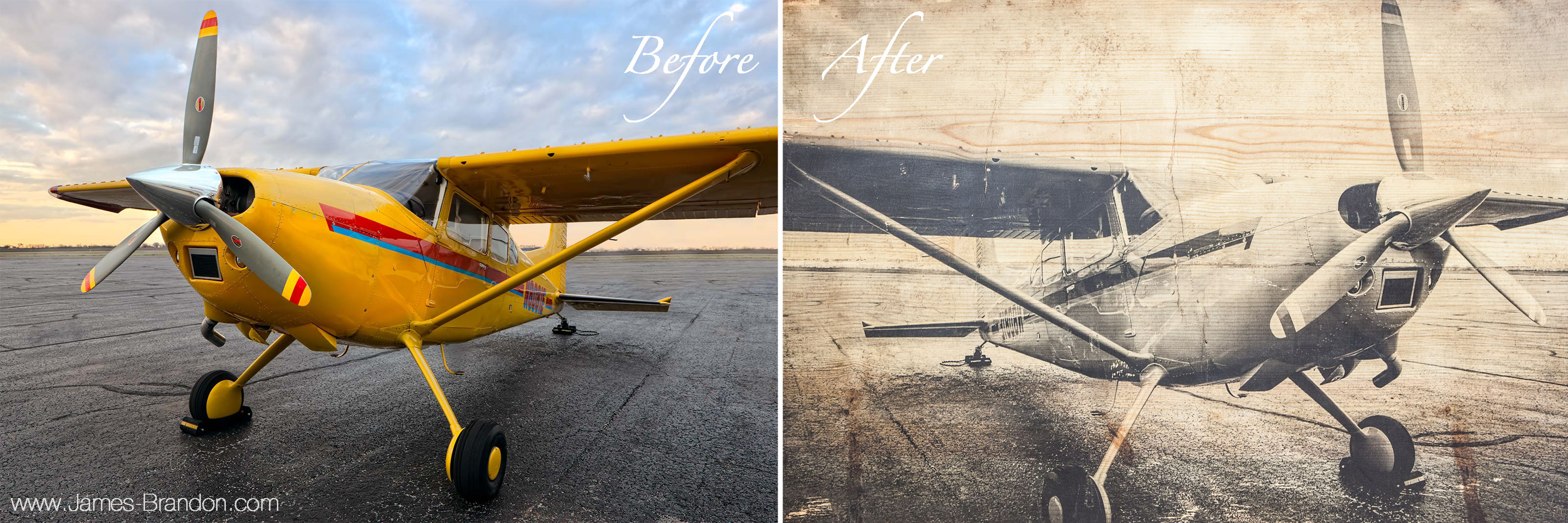
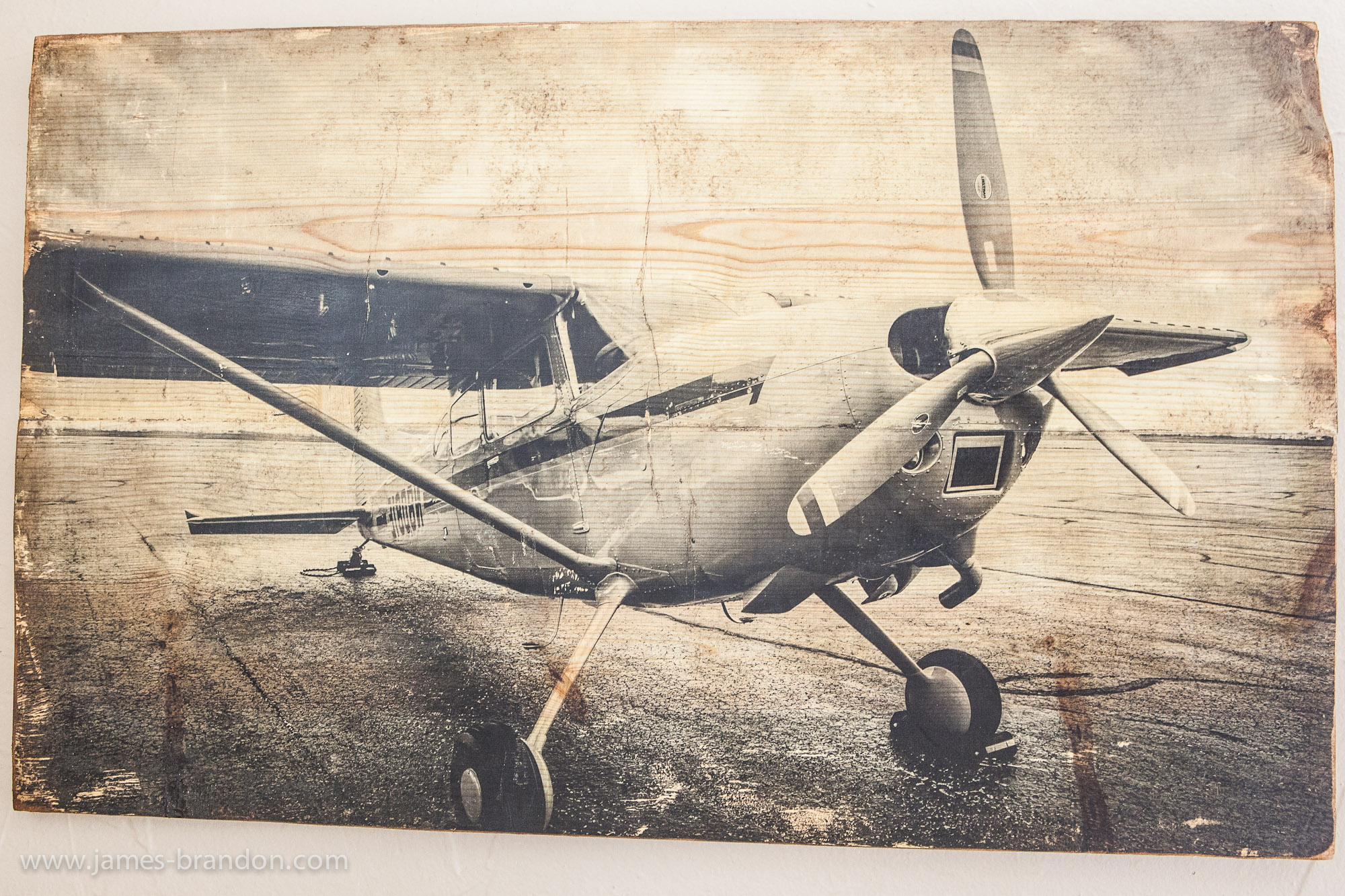
I have several aviation photos in my portfolio and Kristin said she wanted to print the photo on wood. I had no idea what she was talking about or how that was even possible but I listened and let her do her thing. So here’s how to get from the ‘Before’ image to the ‘After’ image, you’re gonna love it!

Step 1: Needed Supplies

Here’s a list of supplies we used. You don’t have to necessarily use the exact same ones in every case but if you do I’ll let you know.
  • Laser printed photo
  • Wood cut to the same size as photo
  • Gel Medium (must be an acrylic gel medium)
  • Brush to apply gel medium to wood
  • Butter knife or flat instrument to smooth out print onto wood
  • Wood stain (optional) and rags
  • Pigment (optional)
  • Sander or sand paper
  • Soft Wax or Mod Podge to smooth and seal print
  • Brush to apply wax
  • Hanging brackets
  • Fastening brackets (if multiple pieces of wood are used)

Step 2: Finding A Print And Choosing A Look

The first step is obviously to find just the right print that you want transfered over to wood. If you took a look at my wife’s website then you can see that a lot of their stuff is very distressed and vintage looking. So my high resolution, vibrant and clean looking airplane photo just wasn’t going to work in it’s current state. So I took the image into Lightroom and converted it to black and white, bumped up the contrast quite a bit and added some film grain.

Step 3: Getting A Print Made And Getting Some Wood
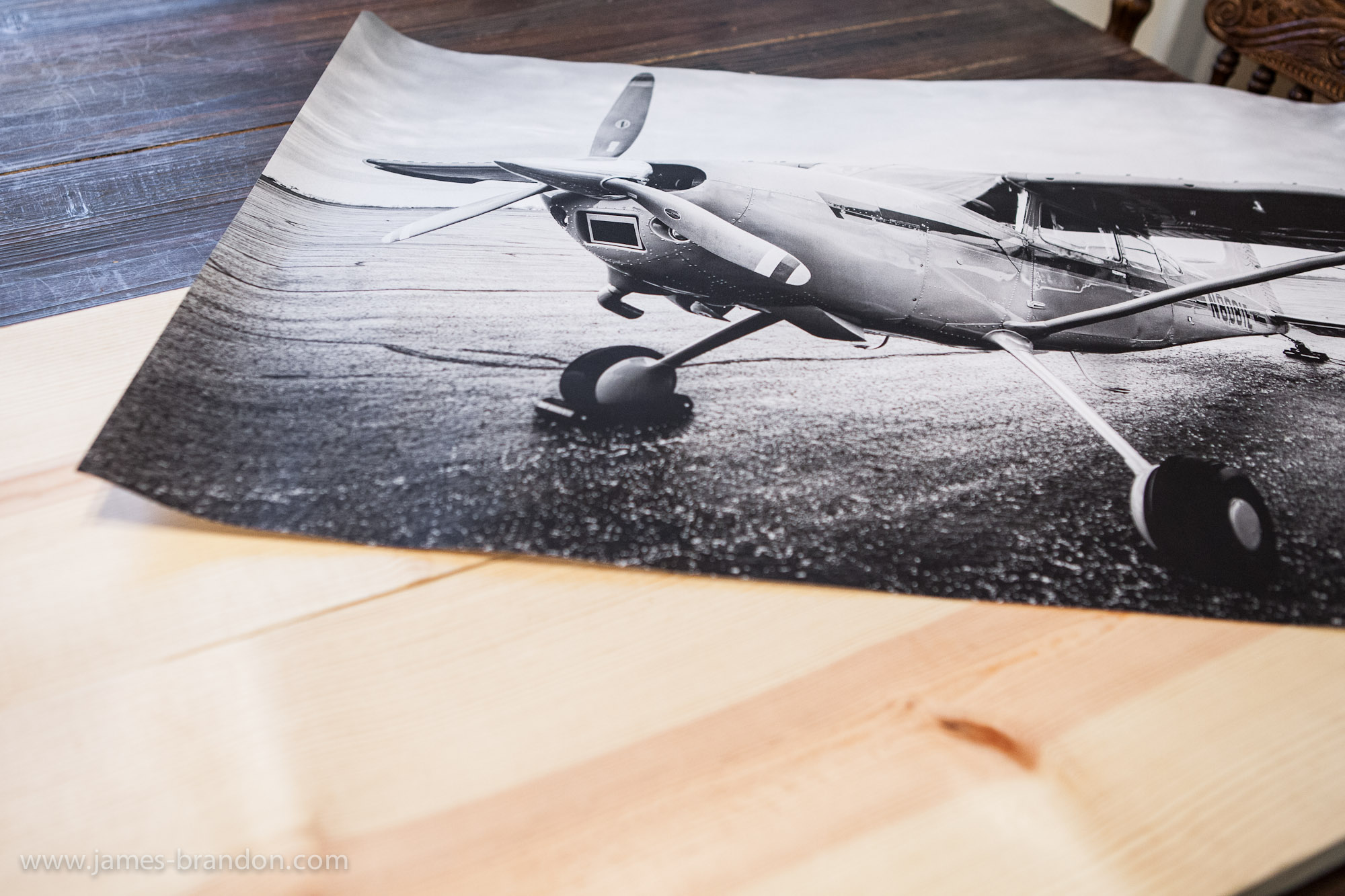
This is VERY important: The image that you print for this project MUST be a laser jet print. Ink Jet will not work with this process so don’t even try it. We decided to get a 20×30 print made so we went up to Staples to have it made from a file we brought up there on a thumb drive. The 20×30 laser jet print cost us a mere $2.14 including tax and looked impressive for such a bargain!
Next we went to Home Depot to get some wood made. Kristin just got two pieces of wood that together measured 20×30. She wanted two separate pieces of wood but you could just as easily use a single piece of wood. Just whatever your preference is.

Step 4:  Apply Gel Medium To Wood
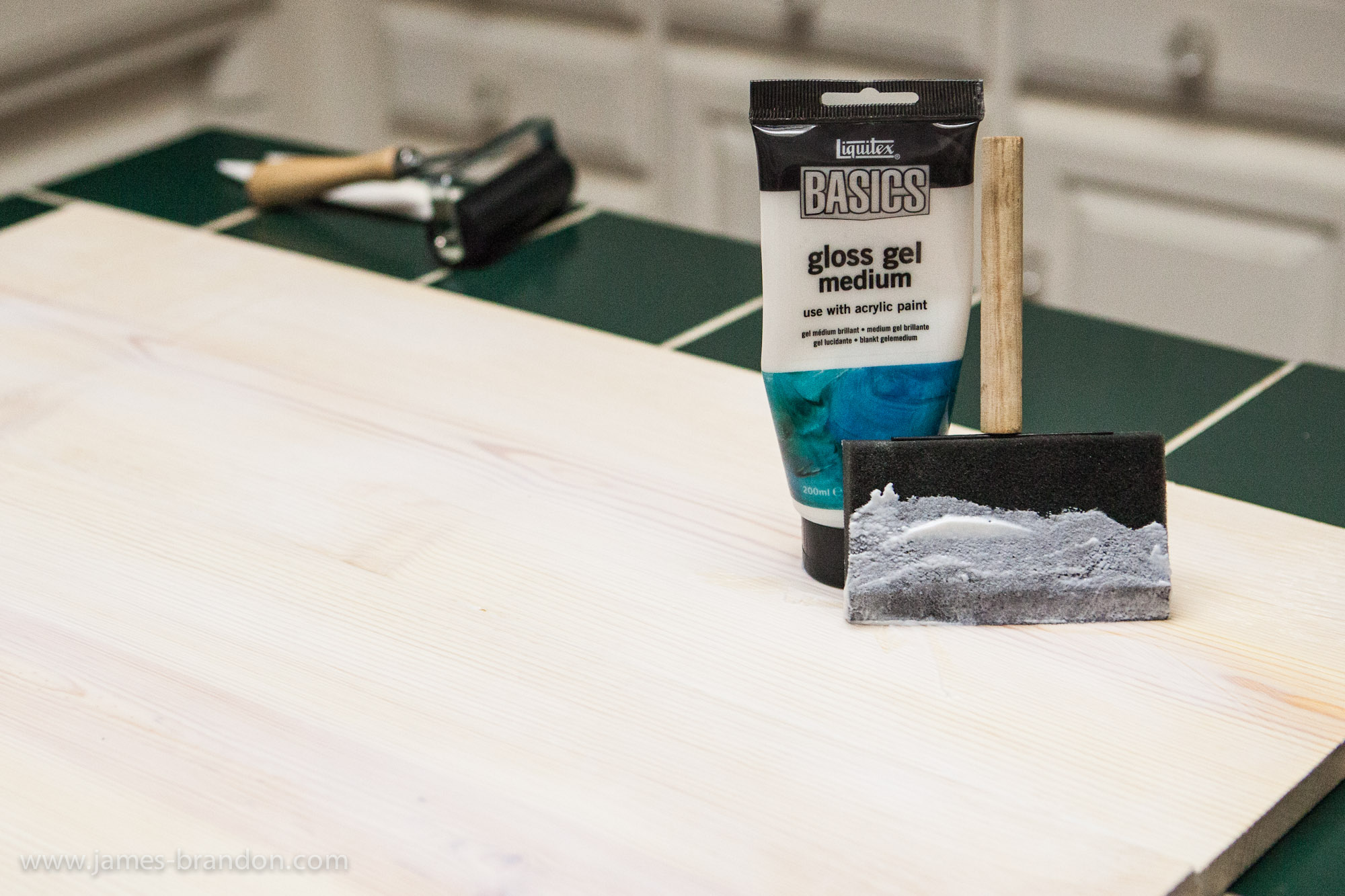
This is really the most crucial step. Apply a single layer of the gel medium to the entire surface of the wood. Not too thin but not gloopy either. If you get the layer too thick the paper will be hard to get off when it’s done setting. Too thin and the paper won’t stick at certain points and the print may not transfer. So you’ll just have to eyeball it here and do your best to make a nice, even layer.
After the gel medium is applied, it’s time to place the print face down onto the wood. This is just as nerve racking as trying to put a protective shield over your iPad or iPhone but it’s a step you have to take! There will no doubt be air bubbles in the print. Do your best to smooth out and eliminate as many of these as you can. We used a plastic tool that we found laying around but you can also use a butter knife, a ruler, a roller or anything you can find that you think might work.
Once the print is applied to the wood, let it sit overnight and make sure it nobody messes with it!

Step 5: Remove Paper From The Wood To Reveal Print
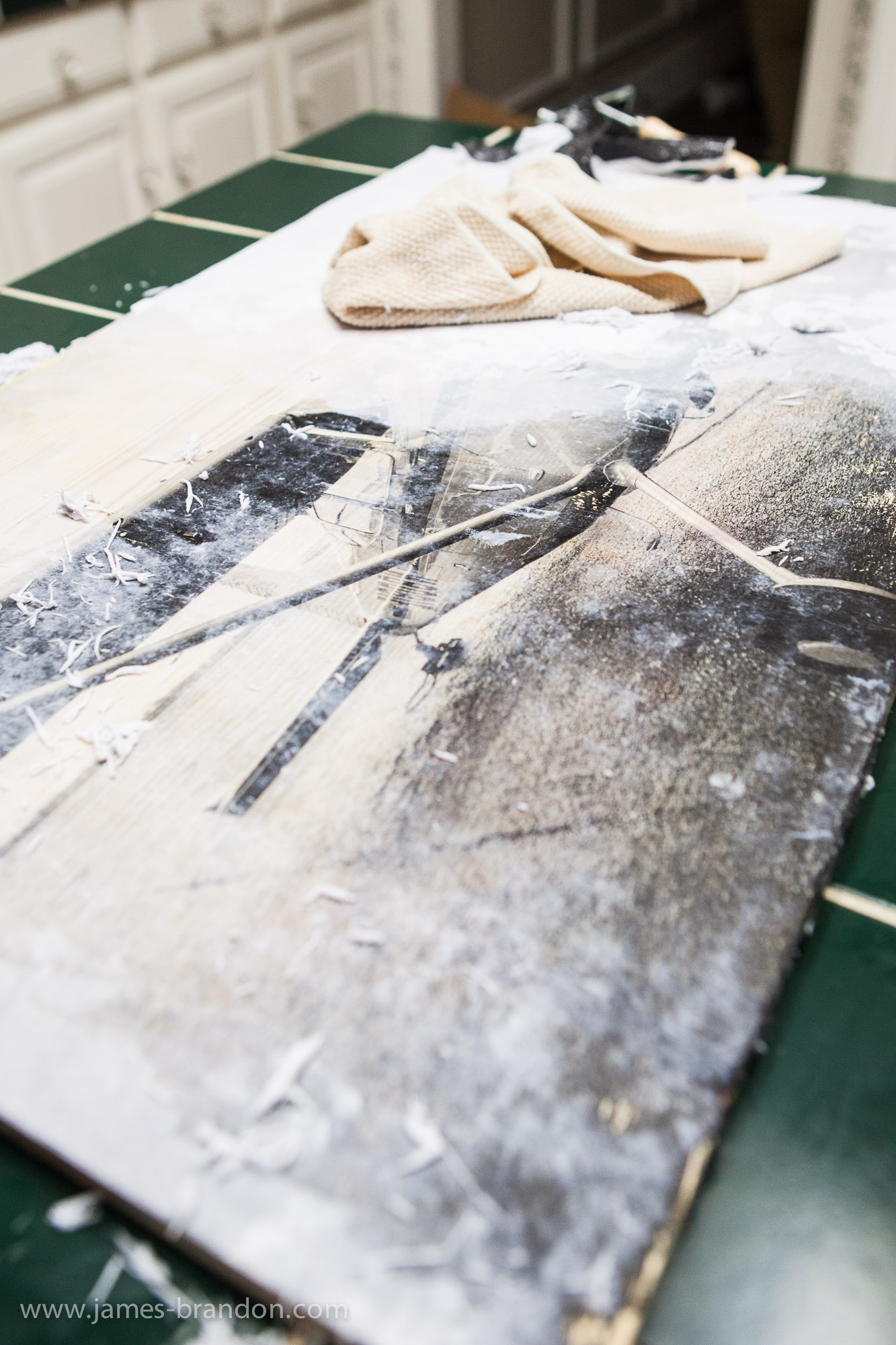
This is the really fun part. To remove the paper we just got the paper wet with water and used our fingers to rub it off. This is a pretty messy process and there might be a better way but fingers seemed to work best for us. Some parts of the print will come off easier than others so just know that your fingers and hands might be a little tired at the end. This whole process might have to be repeated several times and will probably take around 10-20 minutes. But it is really exciting to see the print come to life on the wood. Be sure to have a vacuum cleaner on stand by because there will be a mess to clean up!

Step 6:  Finishing the Print

This step is where Kristin took some creative freedom to get the look she wanted for Isaac’s room. She wanted the print to look old and vintage so that’s what she did. First we applied a single layer of wood stain to the entire surface. You have to be careful with wood stain though. The longer you leave it on the wood the darker the stains effect is so we would apply the stain with a rag, let it set for a few seconds and then rub it off with the same rag.
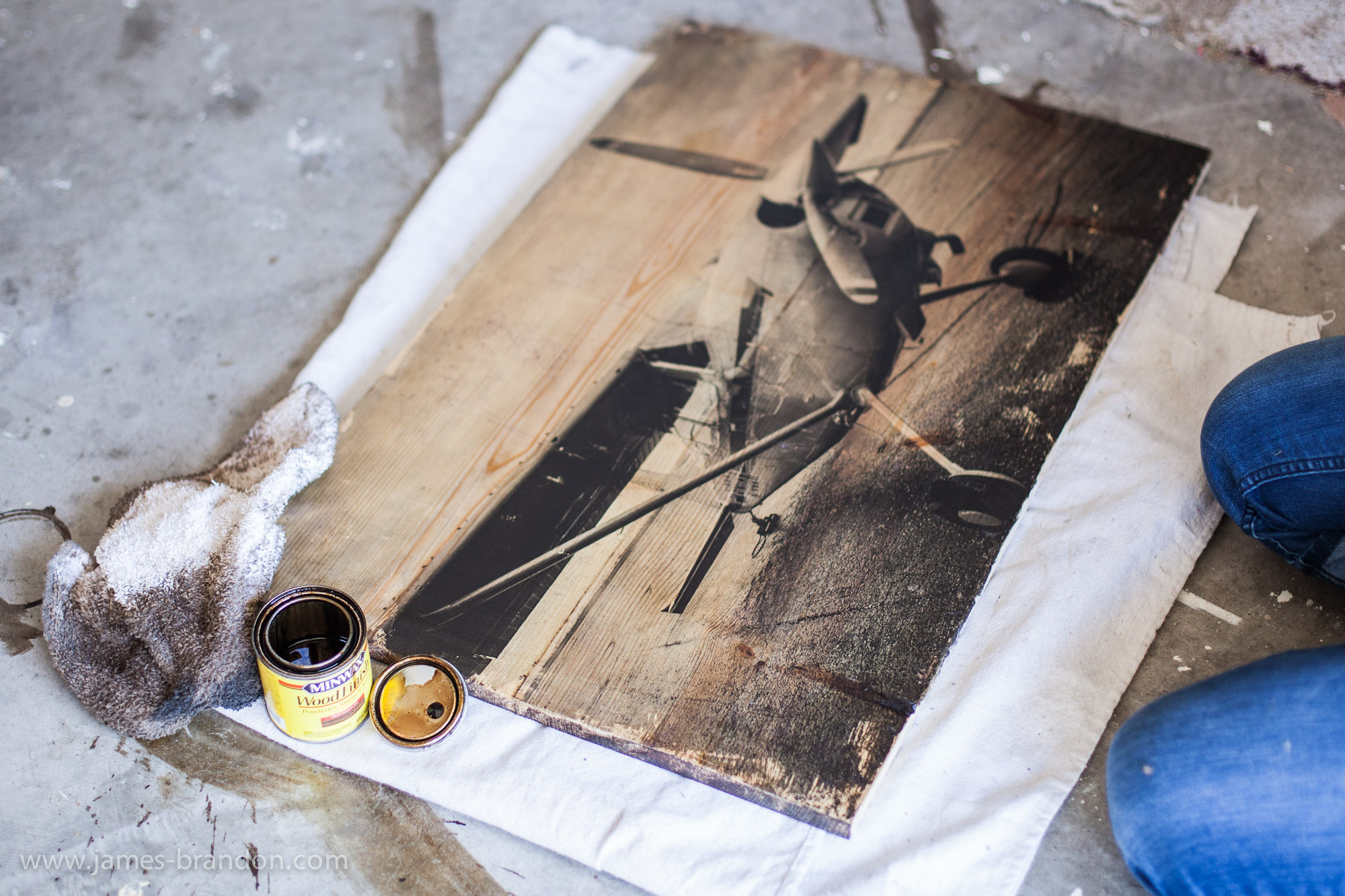
Next we sanded the edges to remove the excess gel and to distress the wood. Then we used a product called Pigment to distress the edges of the print (almost like a grungy textured vignette). Just use a sponge to apply this. It’s much darker than the wood stain so use it sparingly! This isn’t required but we liked the effect.
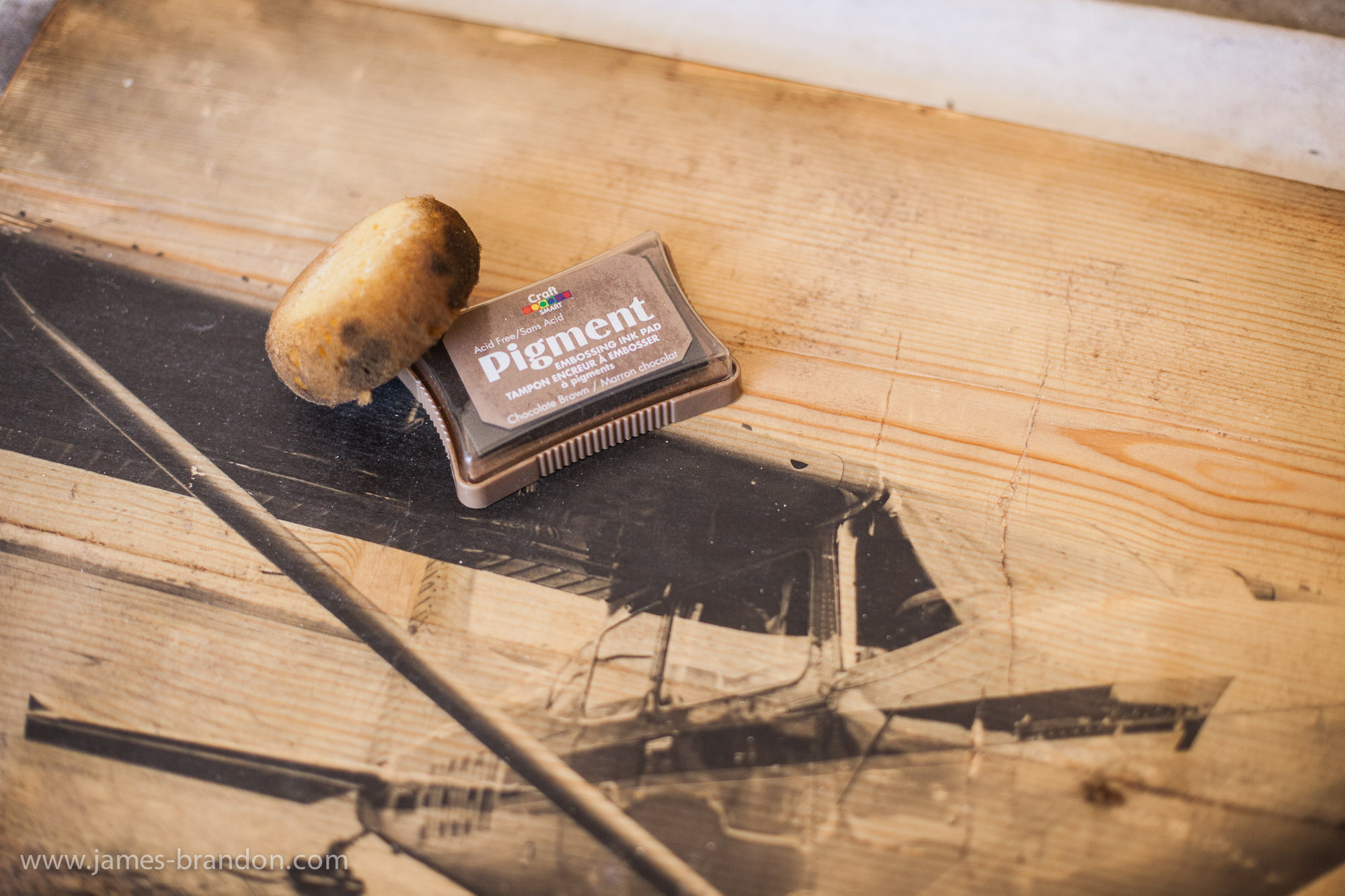
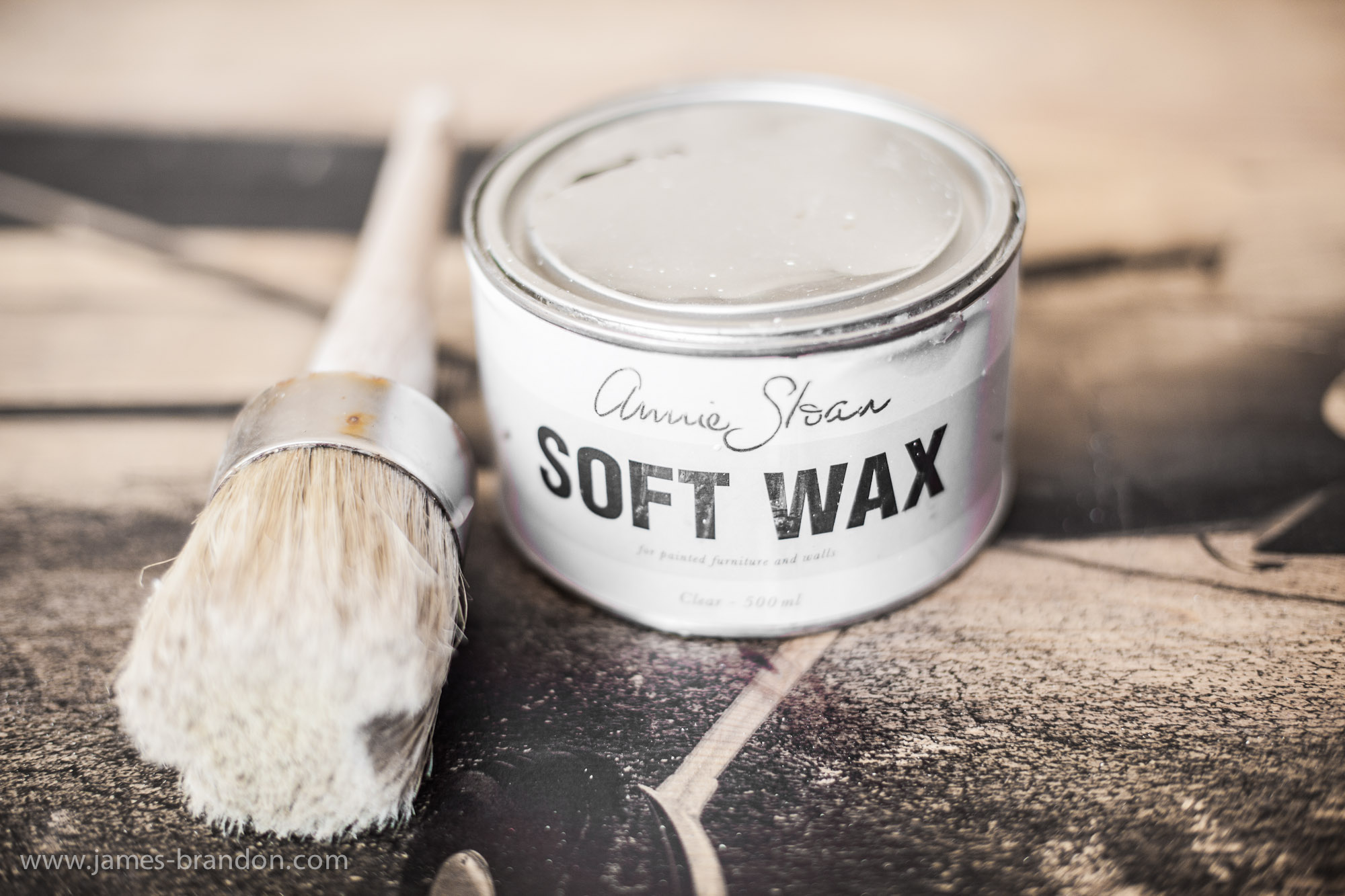
Finally, we added a layer of a product called Soft Wax to seal the print and make it all nice and smooth. Use a brush to apply a thin layer to the print. Just like waxing a car, let it dry and then buff it out with a cloth to smooth it out. The wax we used was, obviously, a soft wax. Not too glossy, not too matte.
Step 7: Hanging The Print.

Since we used two pieces of wood, we needed some fastening brackets to make sure the wood stuck together. You can pick these up at any hardware store. I used four at different angles to make sure they never come apart!
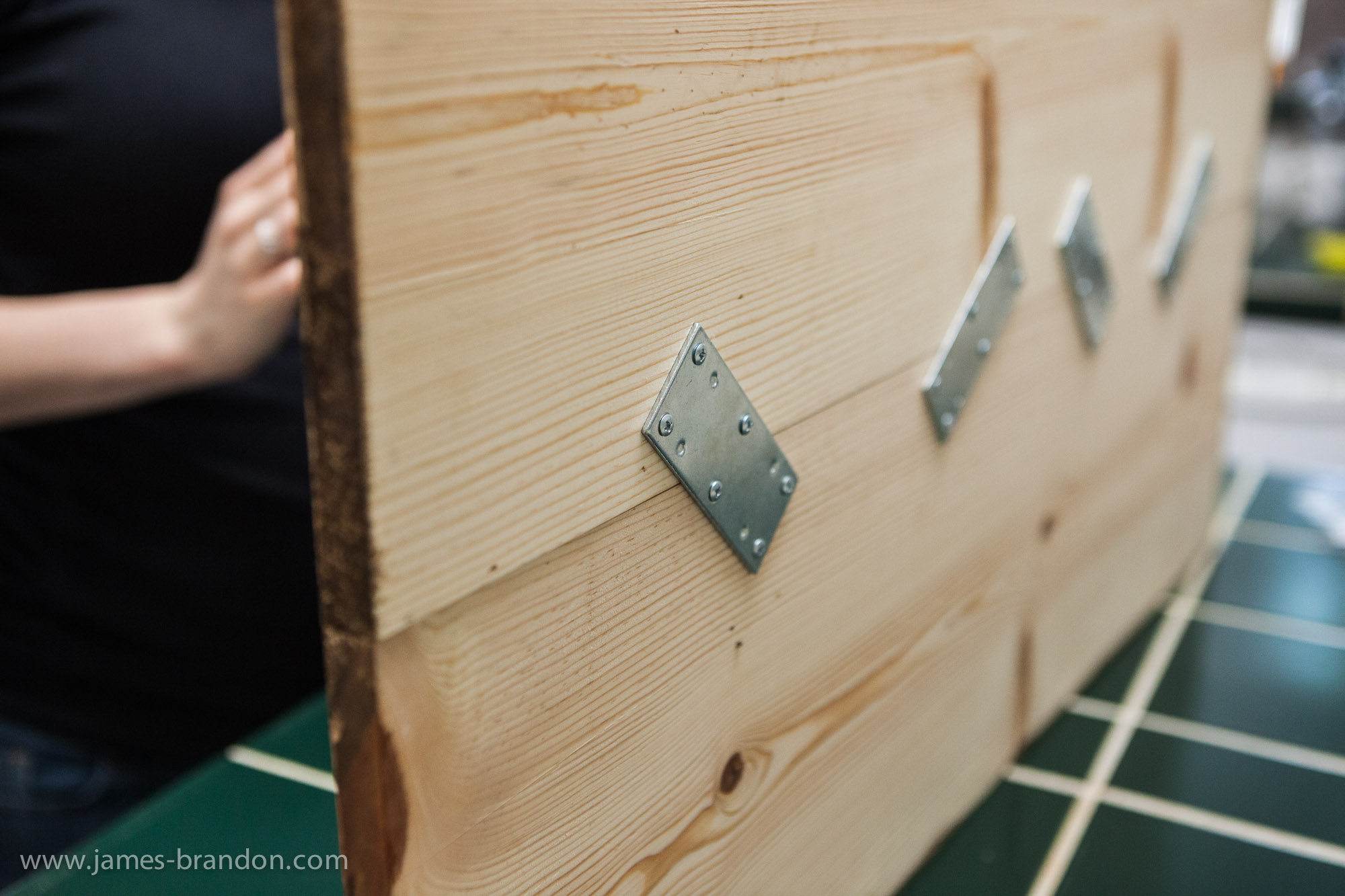
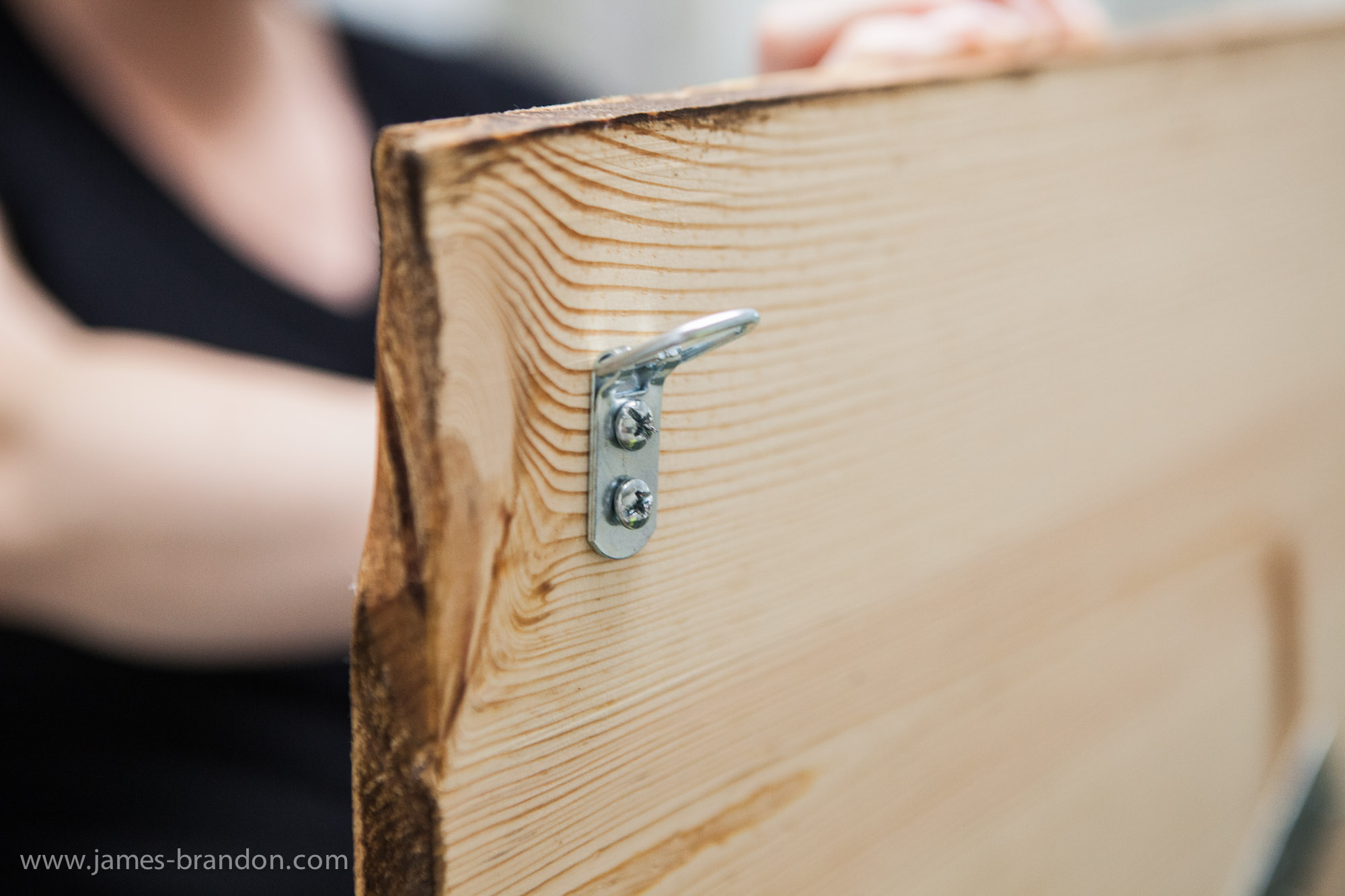
Next I screwed in some mounting brackets to hang it on a wall. You can use any kind you want but I chose these. One thing to note: Be sure that the screws you use to mount the brackets to the back aren’t longer than your print is thick! I made sure of this before I screwed them in and still placed my hand under the print as I slowly screwed the bracket on to make sure I didn’t feel the wood expanding.
Conclusion
Well that’s it! The total cost of this project is around $95. If you use a product called Mod Podge instead of the Soft Wax you can save over $50 because you won’t have to use the wax or the expensive brush in the picture. Mod Podge is another product that can be applied with a sponge brush. It won’t look quite as nice but it still acts as a sealant. You also have to consider that this is the initial cost. The more prints you make on wood, the cheaper it gets since you would just have to buy a print, wood and gel medium the next time around. I hope this will inspire you to go out and try it for yourself! Once more, be sure to check out Katie’s Rose Cottage, they are always creating new things and you may just find something you want for your home.
If you’re not already, be sure to follow me on Google+ and Twitter. You can also follow Lori and Kristin too, I’m sure they’d love to hear from you!


Read more: http://digital-photography-school.com/how-to-transfer-prints-to-wood-an-awesome-photography-diy-project#ixzz2AteD6roz

Monday, October 15, 2012

Nifty Fifties – Why I Love 50mm Prime Lenses


Nifty Fifties – Why I Love 50mm Prime Lenses


This article was written by Andrew S Gibson, the author of Understanding Lenses: Part II, and is part of a series of lessons about camera lenses. Links to the others are at the bottom of the article.
01
Before zoom lenses became the norm most cameras came with a 50mm lens as standard. Since then, the humble 50mm prime has fallen somewhat out of favour. Which is a shame, because 50mm prime lenses can give you high quality and versatility at a low price point. On an APS-C camera it’s one of my favourite focal lengths. Let’s take a look at why.

50mm prime lens vs. kit lens

If you own a kit lens or zoom that covers the 50mm focal length you may be wondering why you would buy a 50mm prime. After all, you already have that focal length covered. The answer is that 50mm lenses have some advantages that kit lenses don’t:

Better image quality

50mm lenses are simple beasts from a design point of view. Lens designers figured out a long time ago how to make a good quality 50mm lens, and the result is that the optical performance of even the least expensive 50mm prime outshines many zooms.
I used a Canon EF 50mm f1.8 II lens (Canon’s cheapest) on a full-frame camera to take the photo below, my first time using it for photographing architecture, and I was amazed at the detail it captured when I enlarged it to 100%.
02
03

Price

50mm lenses are simple. They tend to have six to eight elements inside – zoom lenses may have more than double that. That means manufacturing costs are lower. It is likely that the cheapest lens in your camera manufacturer’s range is a 50mm prime. Most 50mm lenses represent excellent value for money.
However, when making a purchase (of any lens, not just a 50mm) it is wise bear in mind that more expensive models of the same lens have better build quality, autofocus performance, weatherproofing and maybe a wider maximum aperture.
Canon, for example, has three 50mm prime lenses (plus a 50mm macro lens) in its current range. You may not notice much difference in image quality between the 50mm f1.8 II and 50mm f1.2L – but you will notice the difference in build quality and autofocus performance. I opted for the middle option and bought the mid-range 50mm f1.4.

Wide maximum apertures

For me this is the most exciting aspect of 50mm primes (indeed, any prime lens). If you have a kit lens the long end (around 55mm) has an aperture of f5.6 or thereabouts. A prime 50mm lens has an aperture of f1.8 or wider. That’s over three stops. It makes a difference when shooting in low light as you can open up the lens rather than increasing ISO. It also helps you take photos with shallow depth-of-field.
This photo was taken at f1.8 with a 50mm lens:
04

Getting the best out of a 50mm prime lens

Once you have a 50mm prime lens the next step is learning to get the best out of it. These are the things that I use my 50mm lens for:

Walk-around lens

A 50mm lens is a nice walk-around lens to take on a day out. I took these photos with my 50mm f1.4 lens in China. On a full-frame camera it’s a convenient focal length for this very casual style of photography. On an APS-C camera it will help you close in on interesting details.
05
06

Portraits

On an APS-C camera a 50mm prime lens effectively becomes a short telephoto lens, ideal for portraits. It works well on a full-frame camera as well, as long as you don’t mind a little distortion. The photos below show a couple of portraits taken with an 85mm lens.
07
08

Close-up photography

You can use a close-up lens or extension tubes with a 50mm lens to take close-up photos. You can also reverse mount it onto another lens to take macro photos (the techniques are covered in detail in the linked articles). This greatly increases the versatility of the lens. If you already own a 50mm lens these are cheaper options than buying a macro lens.
09

Previous articles

These are the previous articles in the series:

Understanding Lenses: Part II

10
If you liked this article then take a look at my latest eBook, Understanding Lenses: Part II – A guide to Canon normal and telephoto lenses. If you hurry, you’ll get a discount – scroll down for details.


Read more: http://digital-photography-school.com/nifty-fifties-%e2%80%93-why-i-love-50mm-prime-lenses#ixzz29NwQq2Pw

Monday, July 9, 2012

Why I Hate My Camera - Steve Giralt

TOP STORIES Full size PHOTOGRAPHY JUL 9, 2012 5:00 PM 2,496 6 SHARE GET OUR TOP STORIES FOLLOW GIZMODO Why I Hate My Camera Steve Giralt Steve Giralt is a pro photographer in NYC. But just because his life revolves around his camera doesn't mean it's a love fest. Here's why he has beef with his photo gear. Unlike most photographers, I hate my camera. I have read hundreds of stories on the internet where photographers argue about which cameras are the best and why. There are stories trying to prove Canon is better than Nikon, or that 4X5 film is better than medium format digital. Camera review websites show scientific style photographs displaying how much detail they have captured in a dollar bill, or pictures of color checkers and skin tones. They will also show "real-world" and studio tests illustrating how camera A is better than camera B and write long narratives explaining why. The comments area of the page is where the real battle begins. It's a fight between the skeptics, the cynics, and the undoubting believer. The undoubting believer loves everything he reads about in the article and drools over the amazing new camera. He will defend to the death that this is absolutely the best new camera out there. Then the skeptic throws some punches. The skeptic will pick on a few problems the camera has and will say that under certain circumstances this may be a great camera, but under other conditions it may not be. "This is a great camera for sports, but not for the studio" or something along those lines. The height of the battle is when the cynic steps into the ring. No matter what the article states, the cynic doesn't believe any of it. One would think that the cynic has a PhD in online camera reviewing. The Cynic goes on to talk about how bad this camera is in comparison to others, how overpriced it is, and how it's worse than its predecessor. The funny thing is that this person has never actually used the new camera. Blow after blow the cynic obsesses over what is wrong about this camera. The cynic will bash the undoubting believer and the skeptic to no avail. They will alternate turns bashing each other until they get completely off topic and start speaking incoherently. Once the dust settles you realize that none of the comments have added a single ounce of useful information to the review: It's a battle where all the soldiers die and the civilians of the neighboring towns are left watching in bewilderment, wondering what the purpose of the battle was in the first place. The reason why nobody ever wins is because no matter how great a camera may be in the reviews, it will never be perfect. Every camera has advantages and disadvantages in comparison to others and it's likely that no matter what they are, the camera will not make you a better photographer. No matter how good reviewers say a camera is, I still hate it. The camera is always the one thing which gets in the way of me making the picture I have envisioned or I am witnessing before me. I am in front of an amazing sunset but the image the camera makes often doesn't quite live up to what it was like to be on that beach watching that sunset. Is it even possible to make a picture of an amazing sunset that lives up to the moment? I think so, but most of the time the image just a disappointment. When I download images from a shoot onto my computer, I sometimes realize that the shot I thought I captured, which embodied the most amazing moment from that shoot, is out of focus or something is just slightly not right. More often than not, the camera gets in the way of the feeling I had when when I pushed that shutter button. For the short time period when the shutter was open and the mirror was up, I am in the dark and can't see with certainty that I captured what I thought I captured until I see the image later. Even if I did capture the moment I was hoping to capture, more often than not the image I shot doesn't quite convey what I felt when I took that picture. This is why I love photography but hate my camera. It can be frustrating, but I still love the challenge of trying to use a clunky piece of technology to capture images even with the odds stacked up against me. Trying to fit a person, experience, or piece of the world onto the surface of a digital sensor or piece of film is such a challenge. As photographers we take the three dimensional world and turning it into a two dimensional photograph. No matter how good a camera may be, or how good the reviews may be, it is still just a tool which allows me to make photographs. Even a camera with the very best reviews can easily make horrible photographs. I'll tell you one thing for sure, sitting around arguing about why one camera is better than another will not make you a better photographer, but it sure can be entertaining.

Wednesday, June 13, 2012

An attepmt at something different

This is one of my first attempts to actually do something different with my photos that I take. Its not much but I blew it up and had it framed and I love looking at it on my walls daily.. I like the way its all black & white but seems to go in to another world right at the end, too bad it wasn't true.. Anyways enjoy and if You ever get to Castlegar, check it out, very scenic

Canon Finally Addressing Audio in a New Firmware Update for the 7D

Canon Finally Addressing Audio in a New Firmware Update for the 7D
06.10.12 @ 12:24PM Tags : , , 
Canon 7D HDSLR DSLR VDSLRIn a press release that briefly leaked on a Canon CPN site, it was revealed that Canon will address a number of issues in the popular 7D. Having used the Canon 7D on all of the NoFilmSchool NAB videos, my biggest issue was the lack of manual audio controls. It’s been a long time coming, but Canon will finally address this problem in a new firmware update. In addition to manual audio controls, a number of still photography features will be fixed.
Here is a little bit from that press release on the new audio controls:
MANUAL ADJUSTMENT FOR AUDIO RECORDING LEVELSDuring EOS Movie shooting you will be able to manually adjust the audio recording levels to one of 64 levels, whilst the sound volume during playback can be set to one of 11 levels. During movie recording noise from the aperture is reduced and the camera also has an automatic wind cut filter.
This is the entire list of updated features:
  1. Improved RAW Maximum burst – from 15 frames to 26 frames
  2. In-Camera RAW Conversion – RAW images can be edited in-camera and options can be changed before saving the finished file as a ready-to-print JPEG
  3. Image Rating Capabilities
  4. Auto ISO Maximum Setting – ISO 400-6400
  5. Manual Adjustment for Audio Recording Levels
  6. JPEG Resizing
  7. Support for the GP-E2 GPS Unit
  8. Quick Control During Playback
  9. File Name Setting – First 3 or 4 characters in the file name can be adjusted, depending on the setting
  10. Time Zone Setting
  11. Faster Scrolling of Magnified Images
It’s interesting that Canon is going back to support a camera that will likely be replaced sometime this year, but it’s certainly possible they will hold off until 2013 to introduce a new 7D. It’s clear that Canon does listen to its customers, as manual audio has been one of the major features that customers have been vocal about.
On a film production with dual-system sound, the only major upgrade for 7D owners is the ability to adjust file names in the camera. The first three or four characters can be adjusted depending on the user setting, and when three characters is selected, the fourth will be adjusted automatically for recording quality. This will make life easier on set and in post, and it will make the data wrangling process a bit more organized — assuming, of course, that the Director of Photography and ACs set the file names correctly in-camera. There’s no word yet on when this update might be released, but considering they had a press release completed, it wouldn’t be a stretch to say that it won’t be far off.
[via Canon Rumors]

How Much Do Specs Matter?

How Much Do Specs Matter? A Real-World Canon 5D Mark III and Canon T2i Comparison


How Much Do Specs Matter? A Real-World Canon 5D Mark III and Canon T2i Comparison

06.12.12 @ 11:59PM Tags : , , , , , , 

We all like to think the latest and greatest high-end cameras will save our production or propel us into stardom…or something like that. Cameras are tools, and just because one costs more than another, doesn’t mean that the final result will necessarily be all that different. I’ve used pretty much all of the popular DSLRs out there, and you can get great results from any of them. The question is, once these videos go to YouTube or Vimeo, how much of a difference will there be? Dave Dugdale from Learning DSLR Video asks this very question as he compares the relatively new Canon 5D Mark III to the inexpensive Canon T2i.
As Dave points out, the biggest difference between the two cameras is ISO performance. This can be a deal-breaker for many people, as they might be shooting in a situation that requires that extra stop or two of ISO performance. Canon’s ALL-I codec has been getting mixed results, but the IPB codec in the Mark III should perform better than the codec in the T2i. On paper, the specs of the 5D Mark III run circles around the T2i, but in this real-world example, they aren’t very far off, and in many cases, you’d be hard-pressed to tell the difference (apart from high-ISO).
For my shooting, usability is a far more important factor. The 5D handles much nicer and has more buttons that allow for quicker access to functions. I much prefer the ability to change the camera functions by using the top LCD. The HDMI output is also higher resolution on the Mark III than it is on the T2i. Again, these have almost nothing to do with specs — they have to do with actually using the camera. I prefer a heavier body that fits better in my hands, but for many situations the T2i would work just fine. In the end, they are going to produce a relatively similar result once you apply web compression — so just because you’re “stuck” with the lowly T2i or the new T4i, doesn’t mean you can’t produce great results if you take care with what you’re shooting.
For some people, spending that extra $3000 may not be a smart investment. You can make any camera look great provided that you learn how to shoot and light properly — both of which take time and practice.

Saturday, June 9, 2012

Canon EOS 7D From Wikipedia


Canon EOS 7D

From Wikipedia, the free encyclopedia
Canon EOS 7D
Canon EOS 7D 1.JPG
TypeDigital single-lens reflex camera
Sensor22.3 × 14.9 mm CMOS
Maximumresolution5,184 × 3,456 (17.9 recorded megapixels)
LensInterchangeable (EF, EF-S)
ShutterElectronic focal-plane
Shutter speed range30 to 1/8000 s
ExposuremeteringTTL, full aperture, 63 zones
Exposure modesFull auto, programmed, shutter priority,aperture priority, manual
Metering modesEvaluative, Partial, Spot, C/Wgt Average
Focus areas19 cross-type AF points
FocusmodesOne-shot, AI Servo, AI-Focus, Manual
Continuous shootingup to 8.0 frame/s.
ViewfinderOptical pentaprism with 100% coverage and electronic (Live View)
ASA/ISO range100–6400 (expansion up to 12,800)
Rear LCD monitor3.0 inches (76 mm), 640×480 (921,600 dots)
StorageCompactFlash (CF) (Type I or Type II)
BatteryLi-Ion LP-E6 Rechargeable (1800mAh)
Weight820 g (body only)
List price$1699.00[1]
Optional battery packsBG-E7 grip allows use of 6 AA cells, a single LP-E6 or two LP-E6 batteries
Made inJapan
The Canon EOS 7D is an 18.0 effective megapixel APS-C crop CMOS digital single-lens reflex cameramade by Canon.[2] It was announced on 1 September 2009 with a suggested retail price of US$1,699.[3][1]Its particularly notable features are HD video recording, its 8.0 frames per second continuous shooting, new viewfinder which offers 1.0X magnification and 100% coverage[4] 19 point auto-focus system, movie mode, and built-in Speedlite transmitter.[2]

Contents

  [hide] 

[edit]Features

[edit]Autofocus and metering

The 7D has 19 autofocus points arranged in a horizontal diamond pattern. The AF system is a new design which uses a translucent LCD display in the viewfinder. The camera uses TTL 63 zone color sensitive metering system with four variations (evaluative, center-weighted, partial, spot) and exposure compensation of −3 EV to +3 EV in steps of 1/3 EV.E-TTL II flash metering is provided. The translucent LCD can also display guide lines and the spot metering area circle. As with most other video-capable DSLRs, the Canon EOS 7D’s autofocusing function does not work while recording video. Instead, you can only trigger a contrast-detect AF cycle before recording process by hitting the AF button on the camera's rear panel. You can manually focus the lens during a recording.[6]

[edit]Shutter

The shutter is rated to 150,000 shots, and is capable of speeds up to 1/8000 sec, with a flash sync speed of 1/250 sec.

[edit]Ergonomics

The 7D has roughly the same dimension as the 5D Mark II, with the button layout having gone through an update. It also features a 100% viewfinder with 1x magnification.
The 7D was the first Canon camera with a dedicated movie mode switch, the preceding 5D Mark II and 500D movie recording being done in live view.

[edit]Speed

Rear view.
The dual Digic IV processors let the 7D reach 8 frames per second continuous shooting; the buffer throughput allows up to 94 frames in large JPEG mode, and up to 15 frames in RAW. But with UDMA CF-cards this can be increased somewhat (currently the fastest UDMA card has a 100MB/s write rate, Oct 2011).

[edit]Awards

The Canon EOS 7D won the 2010–2011 European Advanced SLR Camera[7] and the Technical Image Press Association Best DSLR Expert awards.[8]

[edit]Video

The Canon EOS 7D's video functions offers an unusually strong feature set that gives the photographer/videographer more control over the videos they create. The camera also offers the ability to record audio from an external source. Both shutter and aperture are available for manual control, and the 7D also provides multiple frame rate options, including three that match the HD television timing specs. Like most DSLR modes, the Canon 7D neglects endless autofocus during video recording, which is a great concern for advanced amateurs with pros likely to focus manually nonetheless. Separate movie clips that are captured by the Canon EOS 7D are limited to twelve minutes in the high definition 1080p and 720p modes, or 24 minutes in the standard definition VGA mode.[6]
The Canon 7D has acquired significance in the independent filmmaking world as an affordable alternative to digital cinema cameras. The camera was used on feature films, such as Black Swan[9], Stanley Ka Dabba.[10] and Vazhakku Enn 18/9[11]

[edit]Accessories

According to Canon's website,[12] the EOS 7D model comes equipped with:
  • EOS 7D Digital SLR Body
  • Eyecup Eg
  • Camera Cover R-F-3
  • Wide Strap EW-EOS7D
  • Battery Charger LC-E6
  • Battery Pack LP-E6
  • Stereo AV Cable AV-DC400ST
  • Interface Cable IFC-200U

[edit]Notable productions using the Canon EOS 7D

[edit]Film

[edit]Television

[edit]References

  1. ^ a b "Canon EOS 7D Camera - Full Review". Imaging-resource.com. Retrieved 2012-05-18.
  2. ^ a b c "EOS 7D product page at canon.com". Usa.canon.com. 25 May 2006. Retrieved 30 December 2010.
  3. ^ "Canon introduces the EOS 7D..." (Press release). Canon UK. 1 September 2009. Retrieved 4 December 2009.
  4. ^ "12 Reasons Why a Canon EOS 7D Should Be in Your Camera Bag". Photographytalk.com. Retrieved 2012-05-18.
  5. ^ EOS 7D Manual. Canon USA. 4 September 2009. Retrieved 10 November 2009.
  6. ^ a b "Canon EOS 7D Camera Video - Full Review". Imaging-resource.com. Retrieved 2012-05-18.
  7. ^ "Canon EOS 550D, 7D and Legria HF M31 win EISA Awards". Ephotozine.com. 16 August 2010. Retrieved 30 December 2010.
  8. ^ "Technical Image Press Association – Award Details". TIPA. Retrieved 29 October 2011.
  9. ^ a b "Technical specifications for Black Swan". The Internet Movie Database. Retrieved 8 April 2011.
  10. ^ a b c d e Dutta, Nandita. "You can be adventurous and experimental with DSLR: Stanley ka Dabba Cinematographer". Archived from the original on 27 May 2011. Retrieved 27 May 2011.
  11. ^ "NEW ATTEMPT IN VAZHAKKU ENN 18/9". Retrieved 7 May 2012.
  12. ^ PIXMA MP530. "EOS 7D - Canon Canada Inc". Canon.ca. Retrieved 2012-05-18.
  13. ^ "Canon EOS 5D Mark II and EOS 7D Digital SLR Cameras of Choice for Stunts and Action Work on Set of "Marvel's The Avengers"". Retrieved 11 May 2012.
  14. ^ "Zooming in". Retrieved 28 April 2012.
  15. ^ "127 Hours Technical Details". Retrieved 13 August 2011.
  16. ^ Oliver Lyttelton (26 October 2011). "Drake Doremus Says He Shot 'Like Crazy' For $250,000 On A $1,500 Still Camera". IndieWire. Retrieved 13 November 2011.
  17. ^ "Like Crazy Technical Details".
  18. ^ "Red State Technical Details".
  19. ^ "Red Tails Technical Details".
  20. ^ "QUIET EARTH: Exclusive set visit - WORLD OF THE DEAD: The Zombie Diaries 2".
  21. ^ "Act of Valor Technical Details".
  22. ^ "Tiny Furniture Technical Details".
  23. ^ "NBC's Saturday Night Live Shoots Opening Title Sequence In Full 1080p HD Video with Canon's EOS Digital SLR Cameras". 11 November 2009. Retrieved 13 August 2011.

[edit]External links

 Media related to Canon EOS 7D at Wikimedia Commons